
Feature

Browser extension with real-time tracking

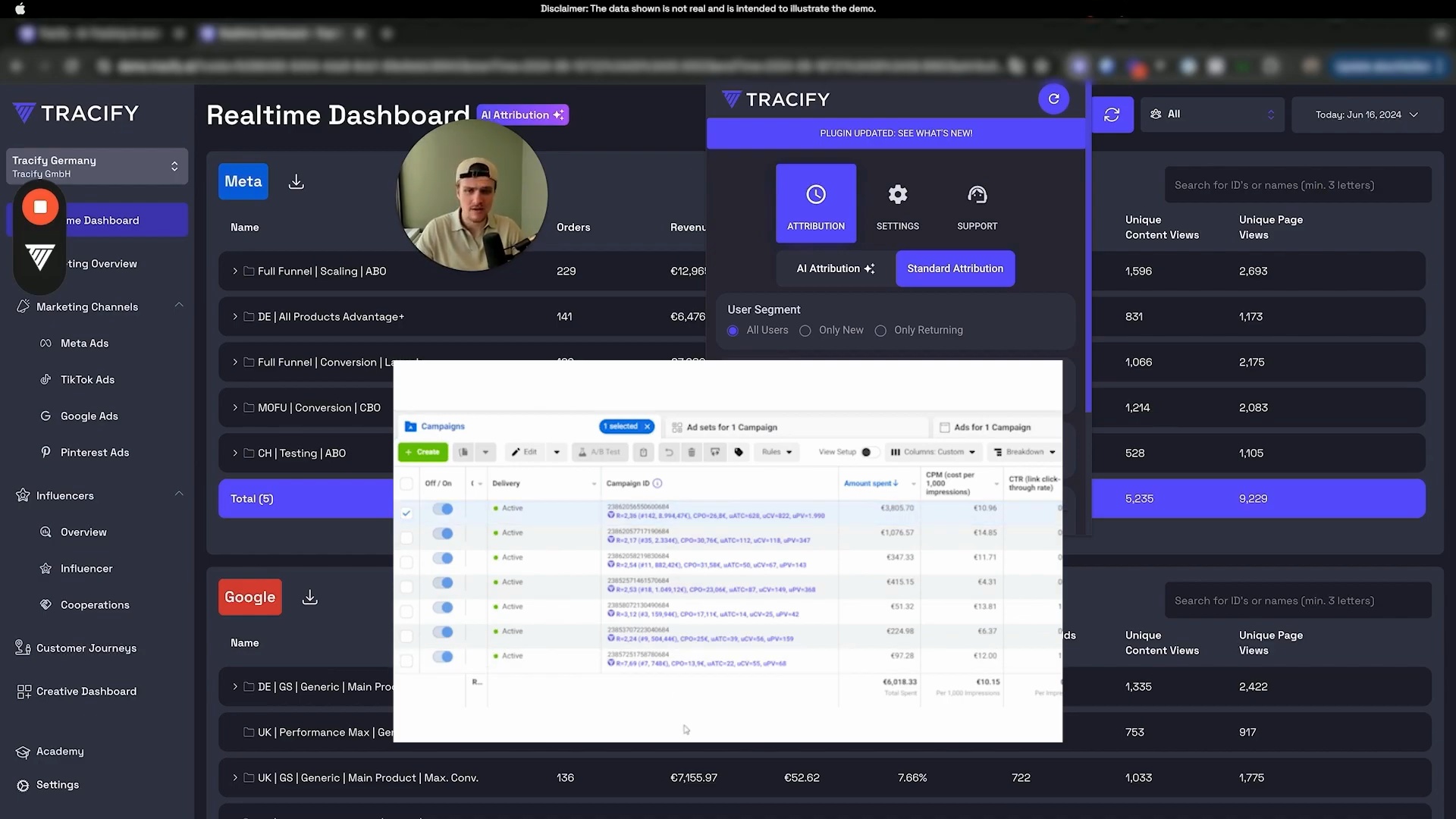
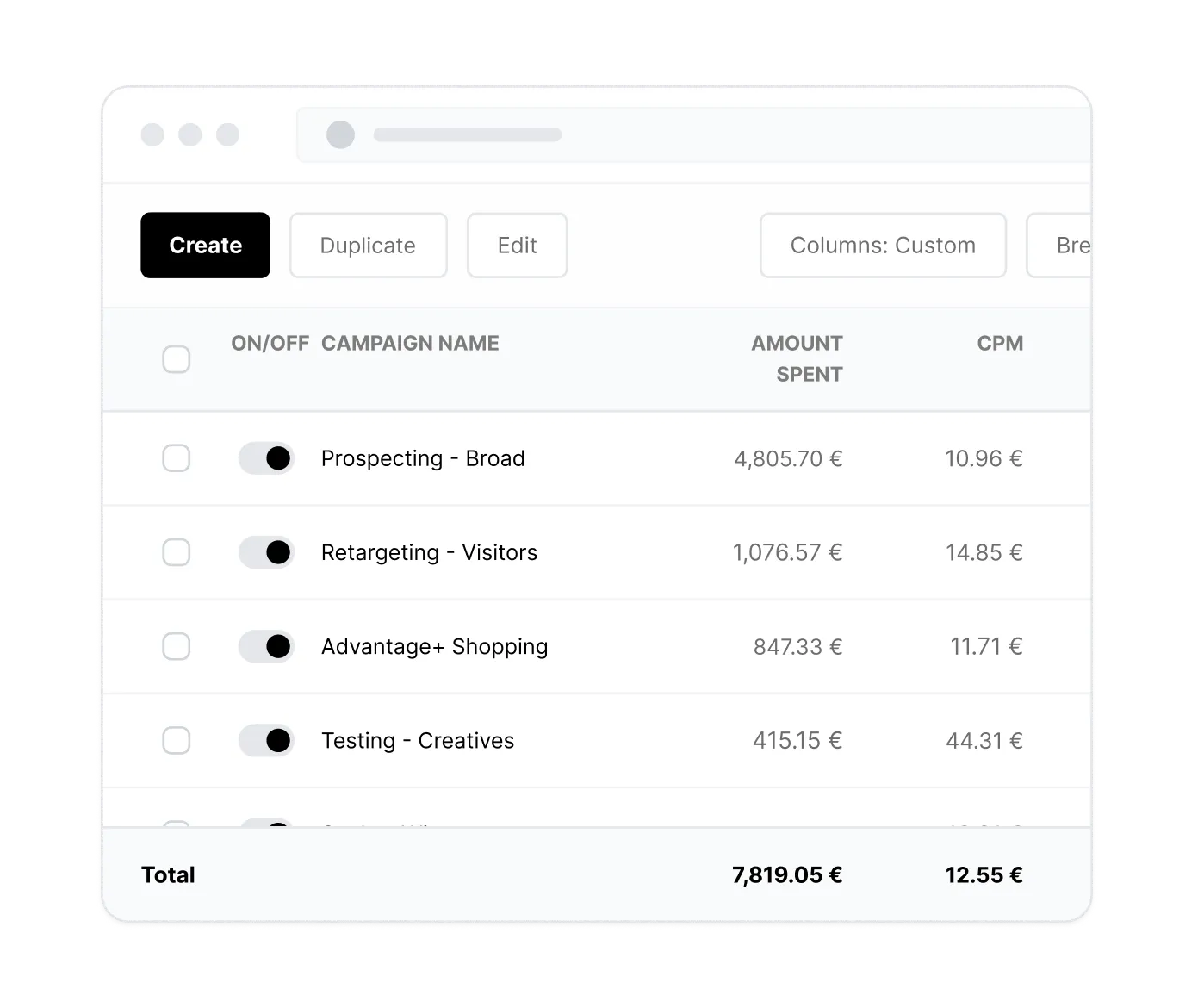
Get instant access to your marketing performance and attribution metrics. With our Chrome extension, we make all conversion data available directly in your Ads Manager (Google, TikTok, Meta), right where you need it.
"Die Chrome-Extension ist wirklich hilfreich um schnell im Ad Account Änderungen (insbesondere Intra-Day) vorzunehmen."
Kai
– Head of CS bei addingup
Over 1000+ Managed Accounts
BLACKROLL brand logo.L'Osteria logo with white text on a red background.Casio brand logo in bold blue letters.Logo mit den weißen Buchstaben 'TC' auf einem roten Hintergrund.LUCKY BIKE Schriftzug als Logo in weiß auf schwarzem Hintergrund.Hannoversche logo with two blue slashes followed by bold navy blue text.

Have a look at this to learn more about this dashboard:

Erweiterung zur Echtzeit-Verfolgung Video

Sieh Dir das an, um mehr über dieses Dashboard zu erfahren:

Ads Manager Insights

You no longer have to jump back and forth between different screens, deal with time-consuming data comparisons and delayed or inaccurate data due to tracking restrictions like with iOS 14.5.

Instead, you see everything directly in your ad manager, whether TikTok, Google or Meta, with 100% accuracy and real-time results.
Feature Image
Feature Image

Customizable Attribution

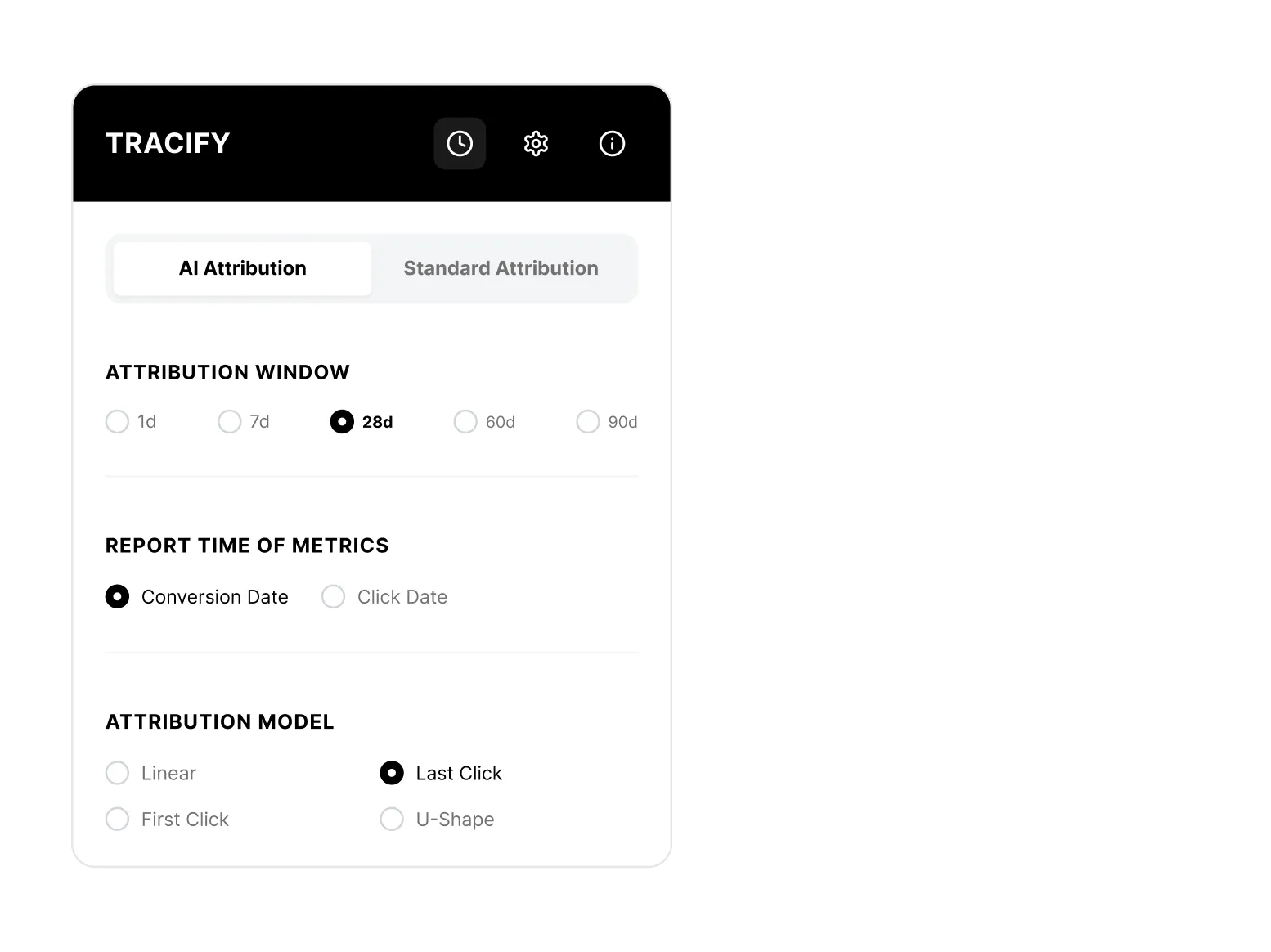
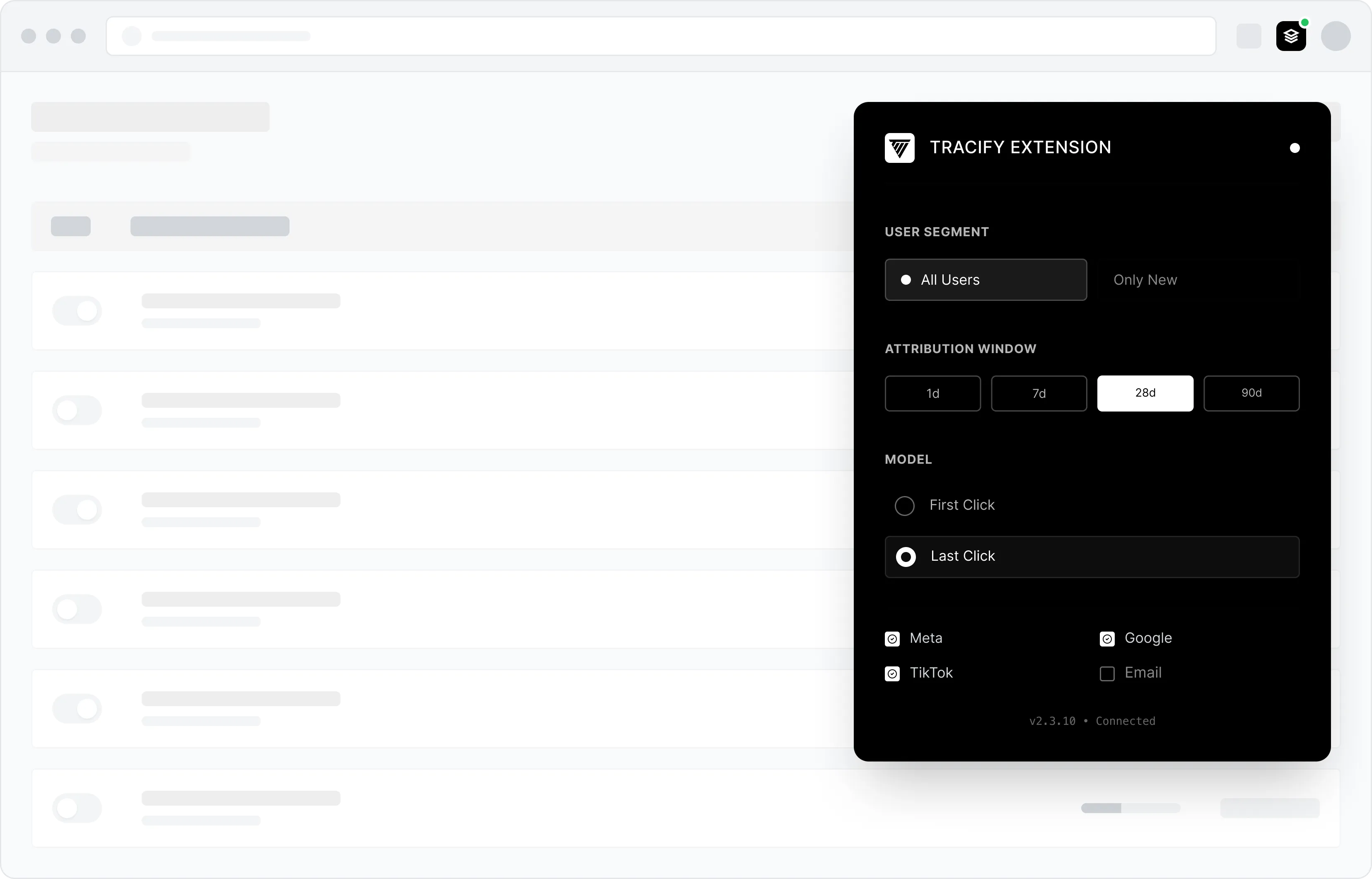
Choose from a wide range of options to Adjust attribution settings for your customer journey. Starting with the selection of the user segment (all vs. new vs. returning users), followed by attribution windows of up to 90 days, the distinction between click & conversion date and finally the attribution model (linear vs. last click vs. first click vs. U-shape).
Feature Image

Multichannel Analysis

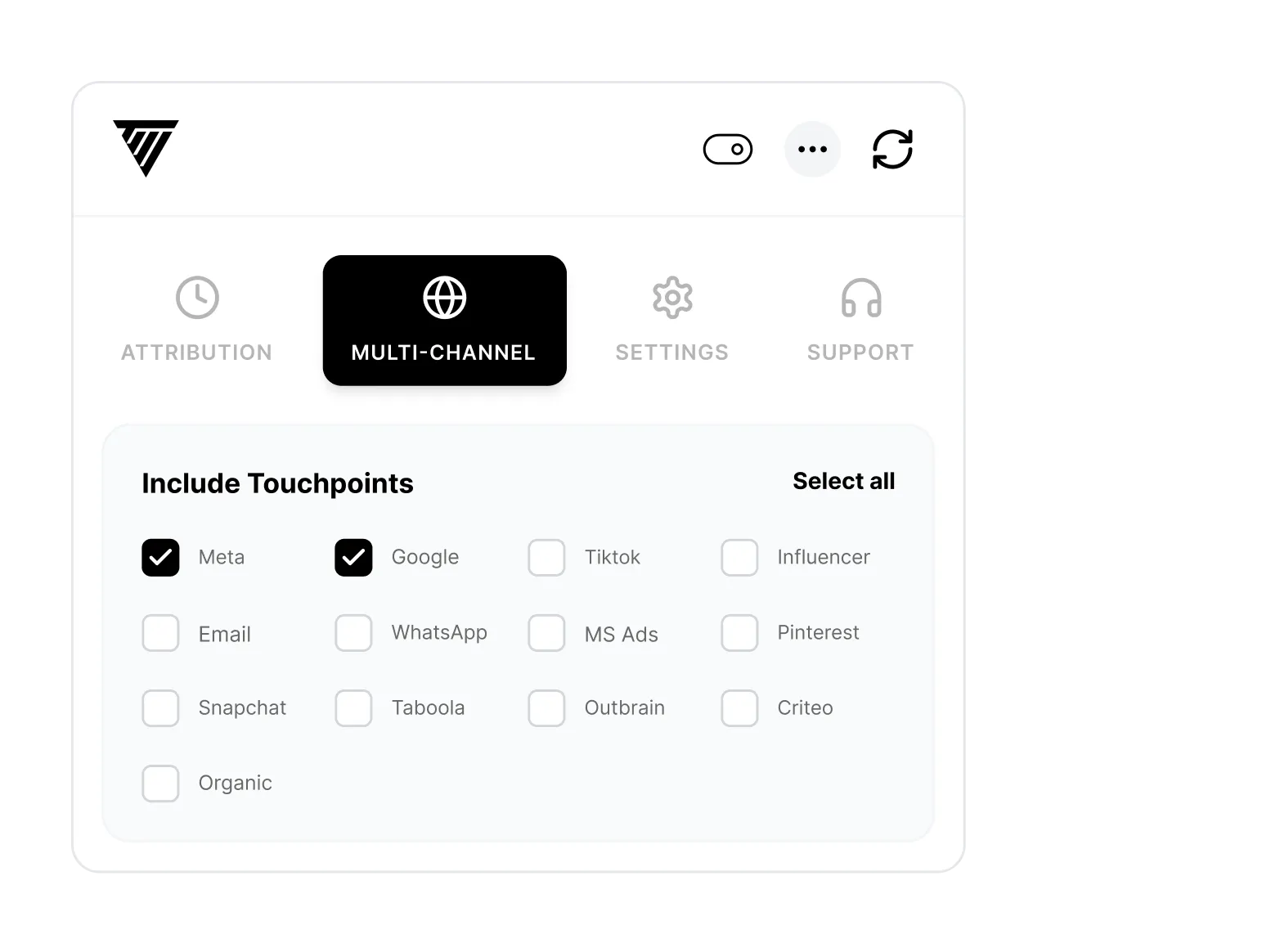
Include or exclude specific touchpoints to further refine your analysis. Select Meta, Google, TikTok, Influencer, Email, WhatsApp, Microsoft Ads, Pinterest, Snapchat, Taboola, Outbrain, Criteo, Organic (Search & Referral Traffic), and Direct. For example, exclude direct traffic or narrow down a specific channel to reveal the real impact of your marketing efforts and to make data-based decisions.

Would you like to know more?
Book a demo now!

Book a demo with one of our marketing experts and find out what options are available for your online marketing.
I have read and agree to the privacy policy.
Thousands of performance
marketers rely on Tracify's data!
Oops! Something went wrong while submitting the form.
FAQ

Frequently asked questions

Still have questions?
Contact our support team.
Which ad managers does the Chrome Extension work in?
arrow down

The extension is compatible with Meta, Google and TikTok. You see your Tracify conversion data directly inside each native interface — no need to switch between tools or tabs.

Can I also adjust attribution settings inside the extension?
arrow down

Yes. Directly inside the extension you can configure the user segment (all vs. new vs. returning users), the attribution window (up to 90 days), the attribution date (click vs. conversion date) and the attribution model (Linear, Last Click, First Click, U-Shape) — without ever opening the Tracify dashboard.

Can I show or hide individual channels inside the extension?
arrow down

Yes. Just like in the dashboard, you can selectively include or exclude specific touchpoints inside the extension — for example, filter out direct traffic or isolate a single channel to see its real contribution to conversions.

In which situations is the extension especially useful?
arrow down

Anywhere you need to react quickly while campaigns are running — especially for intraday optimizations. You instantly see how campaigns evolve in real time and can scale or pause budgets without opening the Tracify dashboard or manually reconciling data.