
Feature

Comprehensive Attribution

By precisely attributing value to specific touchpoints in the customer journey, you can identify the most effective channels, optimize your measures, and maximize conversions.
“We're finally getting reliable data that we can really rely on — especially when it comes to attribution across different channels. “
Charis Neumann
Management of KISS MY NEON OHG
Over 1000+ Managed Accounts
BLACKROLL brand logo.L'Osteria logo with white text on a red background.Casio brand logo in bold blue letters.Logo mit den weißen Buchstaben 'TC' auf einem roten Hintergrund.LUCKY BIKE Schriftzug als Logo in weiß auf schwarzem Hintergrund.Hannoversche logo with two blue slashes followed by bold navy blue text.

Watch this to learn more about this feature:

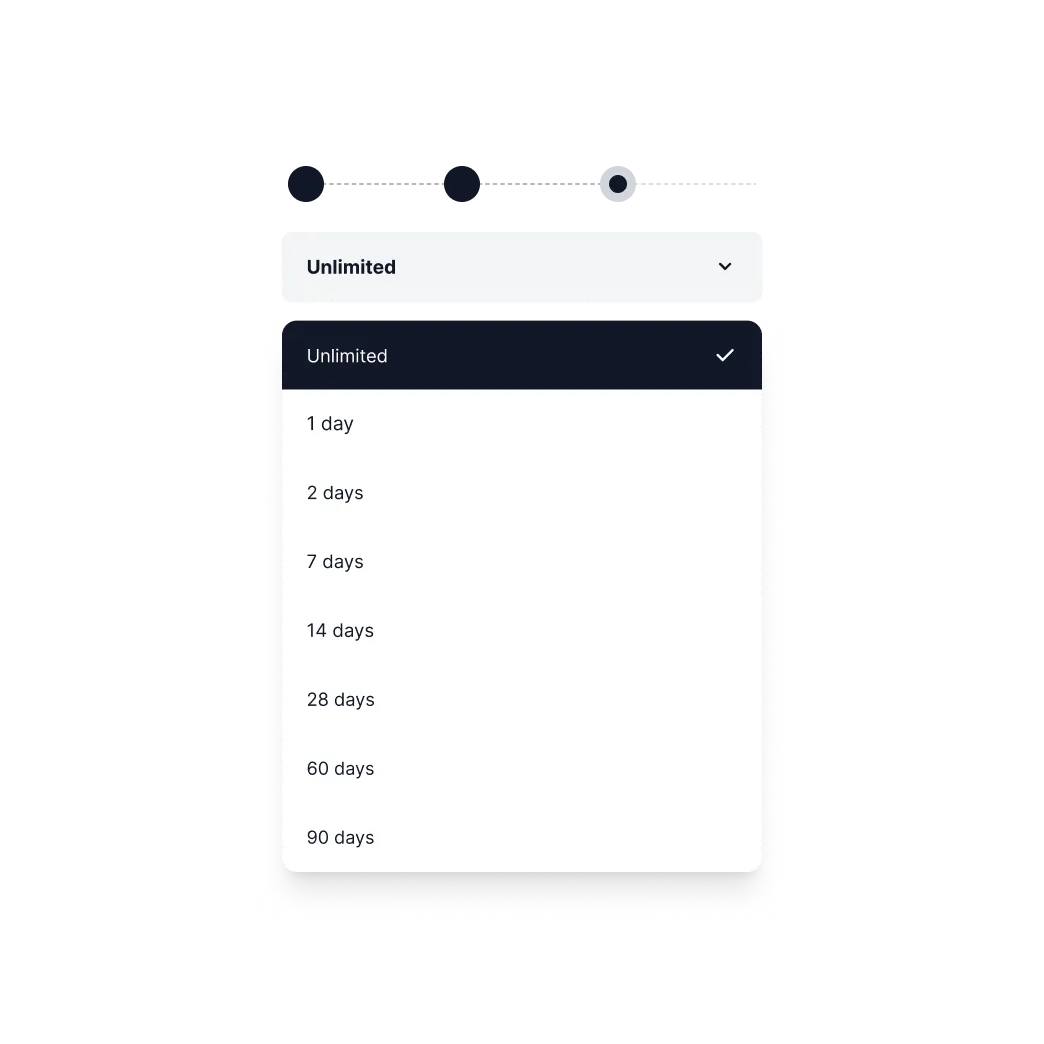
Unlimited attribution window

Be dynamic and analyze attribution windows that are tailored to your brand's unique sales cycles, whether they are 7, 14, 60 or 180+ days amount to. This is how you improve your decision-making process and optimize your marketing strategies.
Feature Image
Feature Image

Full context through multichannel analysis

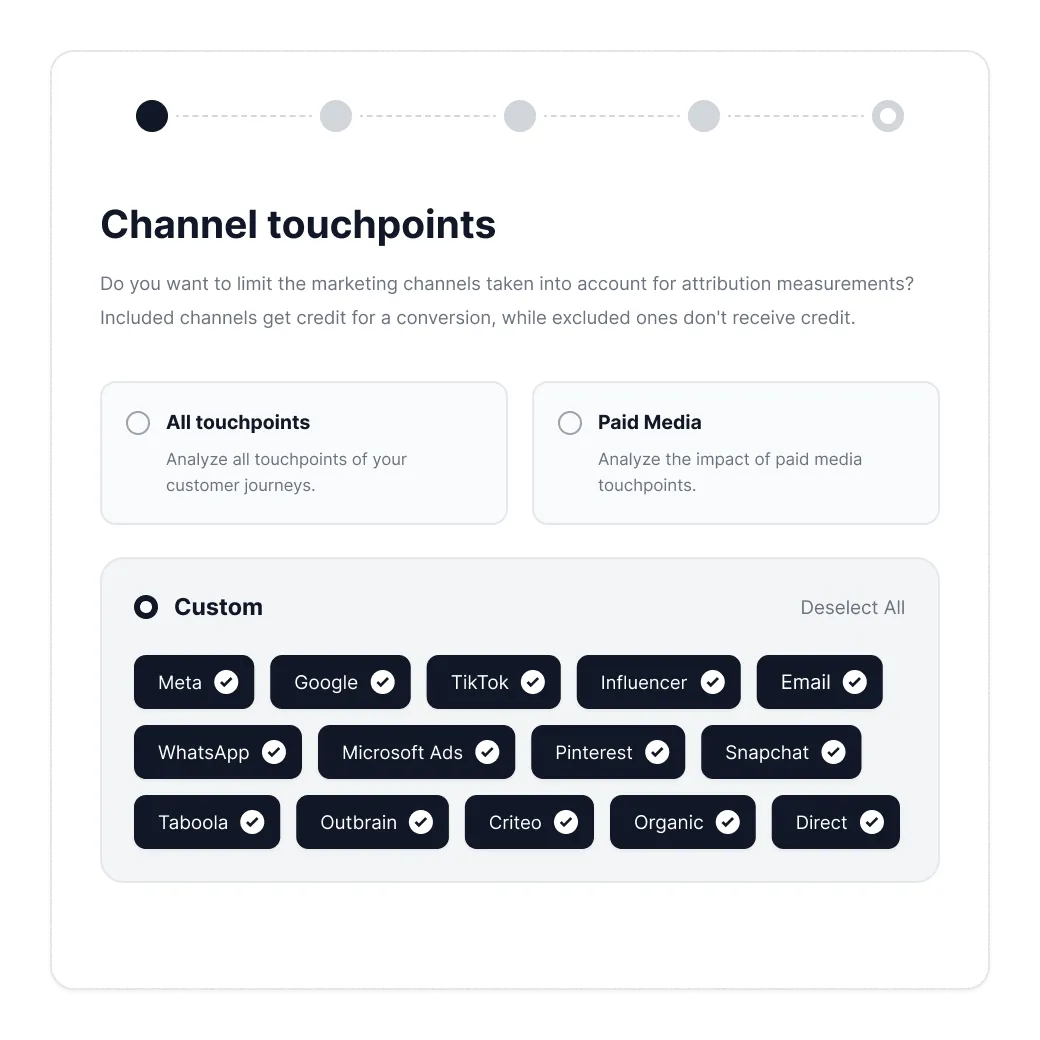
Include or exclude specific touchpoints to further refine your analysis. Dial Meta, Google, TikTok, Influencer, Email, WhatsApp, Microsoft Ads, Pinterest, Snapchat, Taboola, Outbrain, Criteo, Organic (search & referral traffic) and Direct (no source/medium available).

For example, exclude direct traffic or limit a specific channel to uncover the actual impact of your marketing efforts and to make data-based decisions.
Feature Image

Comprehensive attribution models

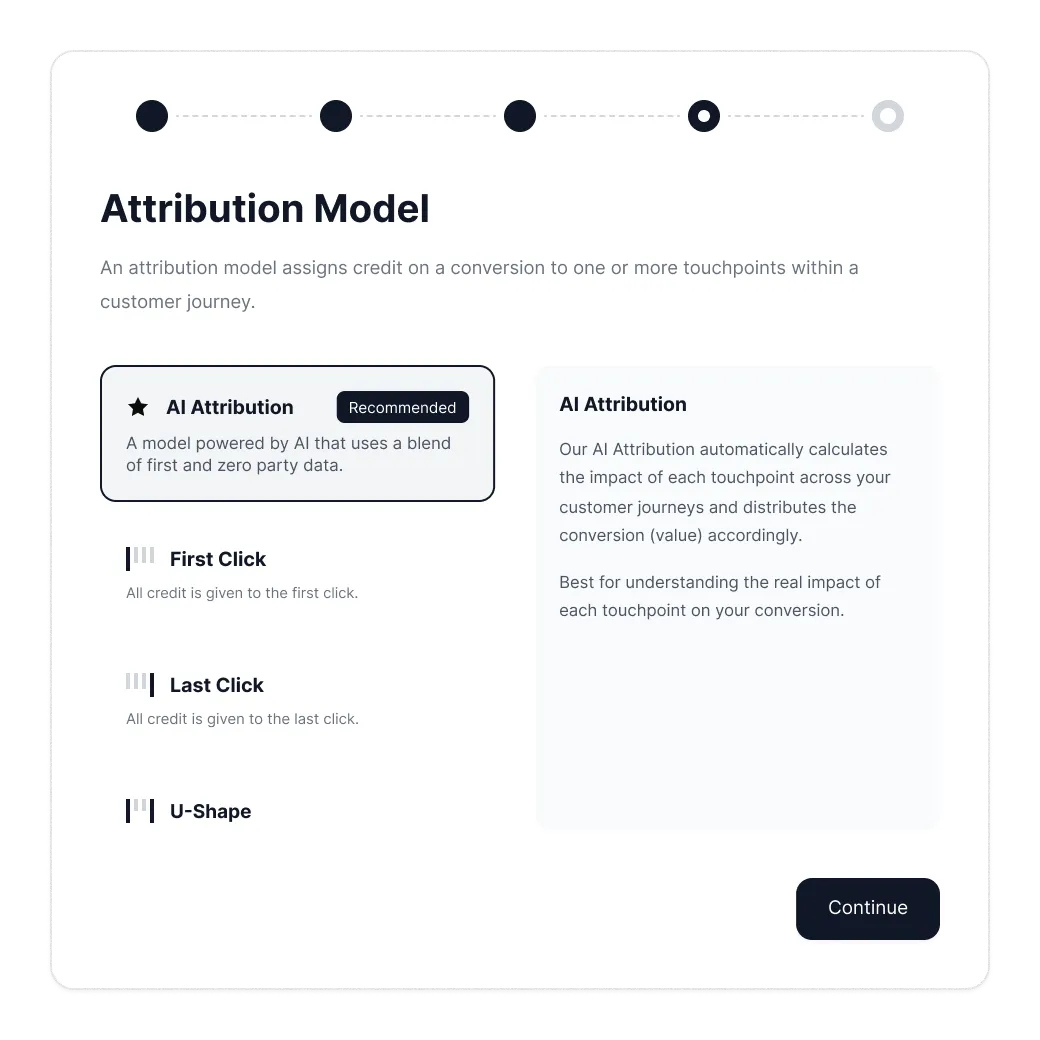
Our rule-based models, including Last Click, First Click, Linear, U Shape, and Isolated, offer various approaches for credit allocation and enable you to see the true impact of individual touchpoints. Whether you want to dive into the first interaction, consider all touchpoints equally, or understand the last interaction, our models provide you with a comprehensive overview that you can match with your requirements.

Conversion vs. click date

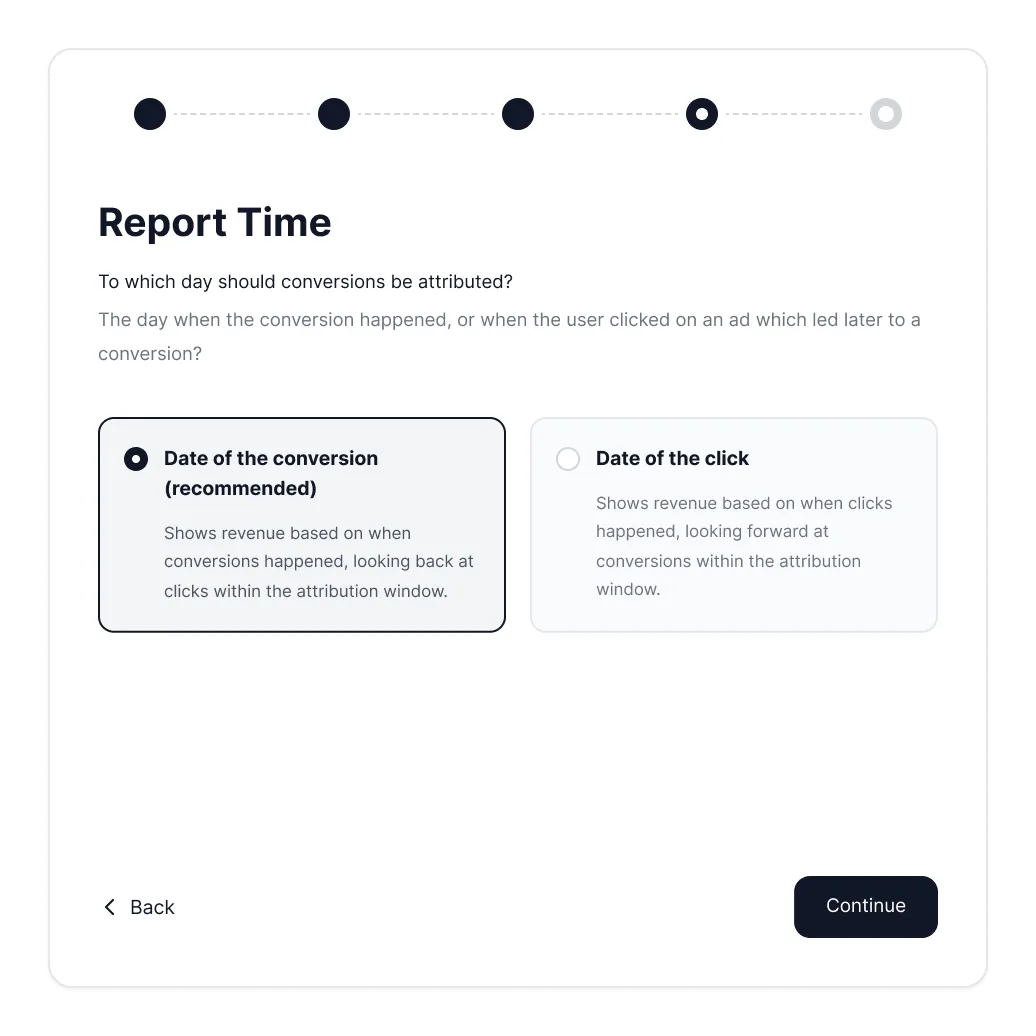
Distinguish seamlessly between conversion and click dates. You can either analyze your sales on a specific day or evaluate past click events that took place before you made a purchase.
Feature Image

Would you like to know more?
Book a demo now!

Book a demo with one of our marketing experts and find out what options are available for your online marketing.
I have read and agree to the privacy policy.
Thousands of performance
marketers rely on Tracify's data!
Oops! Something went wrong while submitting the form.
FAQ

Frequently asked questions

Still have questions?
Contact our support team.
Which attribution models are available, and when should I use which one?
arrow down

Tracify offers five rule-based models: Last Click, First Click, Linear, U-Shape and Isolated. Last Click is great for bottom-funnel analysis, First Click for evaluating awareness channels, Linear for weighing all touchpoints equally. U-Shape puts more weight on the first and last contact, Isolated lets you look at a single channel in isolation. Important: these models complement the AI-based attribution — they’re there to compare and verify, not to replace it.

How flexible are the attribution windows — and why does that matter?
arrow down

You can pick attribution windows freely, from 7 days up to 180+ days, tailored to your specific sales cycle. That’s especially relevant for products with long consideration phases: anyone setting a 7-day window when customers typically take 30 days to buy systematically underestimates the value of upper-funnel channels.

Can I exclude specific channels or touchpoints from the analysis?
arrow down

Yes. You can include or exclude individual touchpoints — for example, hide direct traffic to see the actual impact of your paid channels in isolation. Supported are Meta, Google, TikTok, Influencer, Email, WhatsApp, Microsoft Ads, Pinterest, Snapchat, Taboola, Outbrain, Criteo as well as organic and direct traffic.

What’s the difference between conversion date and click date — and when does each make sense?
arrow down

The conversion date shows you when a purchase happened — ideal for daily revenue reporting. The click date shows you when the upstream interactions took place — ideal for analyzing which touchpoints in a given period actually contributed to the later conversion. Both perspectives deliver different, valuable insights.